A slow WordPress website doesn’t just annoy visitors—it actively loses traffic, search rankings, and revenue.
With Google prioritizing user experience, speed optimization is a critical SEO pillar in 2026. If your site takes more than a few seconds to load, your visitors will head back to the search results before your content even appears. In this guide, we will walk through a step-by-step technical framework to turn your WordPress site into a high-performance machine.
The Root Causes of WordPress Latency
Before implementing fixes, it helps to understand what usually weighs a site down. Most performance bottlenecks come from five specific areas:
- Suboptimal Hosting: Using entry-level shared hosting or poorly configured VPS environments.
- Unmanaged Images: High-resolution files that haven’t been compressed for the web.
- Lack of Caching: Forcing the server to rebuild every page from scratch for every visitor.
- Plugin Bloat: Running too many scripts or poorly coded extensions.
- Heavy Themes: Using “all-in-one” themes that load unnecessary CSS and JavaScript.
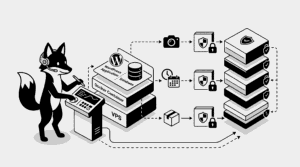
STEP 1 — Audit Your Hosting and VPS Setup
If your server foundation is weak, software-level optimizations can only do so much. High-performance sites require a modern stack.
For VPS and Docker users:
- Prioritize Nginx: It handles concurrent connections much more efficiently than traditional Apache.
- Container Optimization: Use lightweight Docker images (like Alpine-based builds) to reduce overhead.
- Hardware Matters: Ensure your provider uses NVMe or SSD storage for faster database read/write speeds.
STEP 2 — Implement an Advanced Caching Strategy
Caching creates a “snapshot” of your pages, serving them instantly to users without querying the database every time.
Top-tier Plugin Recommendations:
- LiteSpeed Cache: The gold standard if your server uses the LiteSpeed engine.
- WP Rocket: A premium, user-friendly option that handles complex optimizations automatically.
- W3 Total Cache: A powerful, highly-configurable free tool for technical users.
Make sure to enable Page Caching, Browser Caching, and GZIP Compression within your chosen tool.
STEP 3 — Modernize Your Image Delivery
Large images are often the single biggest drag on your “Largest Contentful Paint” (LCP) score.
- Switch to WebP: This modern format offers superior compression compared to JPEG or PNG.
- Pre-Upload Compression: Use tools like TinyPNG to shrink files before they ever reach your library.
- Automation: Use plugins like Smush or ShortPixel to automatically resize and optimize images on the fly.
STEP 4 — Prune Your Plugin and Theme Library
Every active plugin adds a layer of complexity and potential slowdown. Aim for a “lean” installation.
- Audit Regularly: Keep only the plugins that provide essential functionality.
- Delete, Don’t Just Deactivate: Remove unused themes and inactive plugins to keep your file system clean.
- Choose Lightweight Alternatives: If a plugin is slowing you down, look for a “lite” version or a more modern alternative.
STEP 5 — Offload Content to a CDN
A Content Delivery Network (CDN) stores your site’s assets on a global network of servers, delivering them from the location closest to your visitor.
- Cloudflare: An excellent free starting point with robust security features.
- BunnyCDN: Highly recommended for its speed, affordability, and easy WordPress integration.
STEP 6 — Database Maintenance
Over time, your WordPress database accumulates “junk” like old post revisions and spam comments that slow down queries.
- Clean Up: Regularly delete spam, trashed posts, and expired transients.
- Optimize Tables: Use a tool like WP-Optimize to keep your database tables running efficiently.
STEP 7 — Enable Server-Level Compression
Compressing your files before they leave the server significantly reduces the amount of data transferred to the user.
On Nginx, ensure you have a compression block in your configuration:
gzip on;
gzip_types text/plain text/css application/json application/javascript text/xml application/xml;
STEP 8 — Mastering Core Web Vitals
Google uses specific metrics to judge your site’s health. Improving these will directly impact your SEO rankings:
- LCP (Largest Contentful Paint): Measures how long it takes for the main content to load.
- INP (Interaction to Next Paint): Replaces FID to measure how quickly your site responds to user input.
- CLS (Cumulative Layout Shift): Measures visual stability (ensuring elements don’t “jump” while loading).
STEP 9 — Benchmark Your Progress
Don’t guess—measure. Use these industry-standard tools to verify your improvements:
- Google PageSpeed Insights: The most important tool for seeing how Google views your site.
- GTmetrix: Excellent for detailed waterfalls and seeing exactly which scripts are causing delays.
- Pingdom: Great for testing load times from different geographic locations.
- Instant Loading: Keep your bounce rate low and your engagement high.
- SEO Advantage: Outrank competitors who are still running sluggish websites.
- Scalability: A fast site handles traffic spikes much more effectively on your VPS.
Essential WordPress Resources
Your WordPress website is now fine-tuned for elite speed and SEO performance. A faster site means a better experience for every visitor.